Diffs
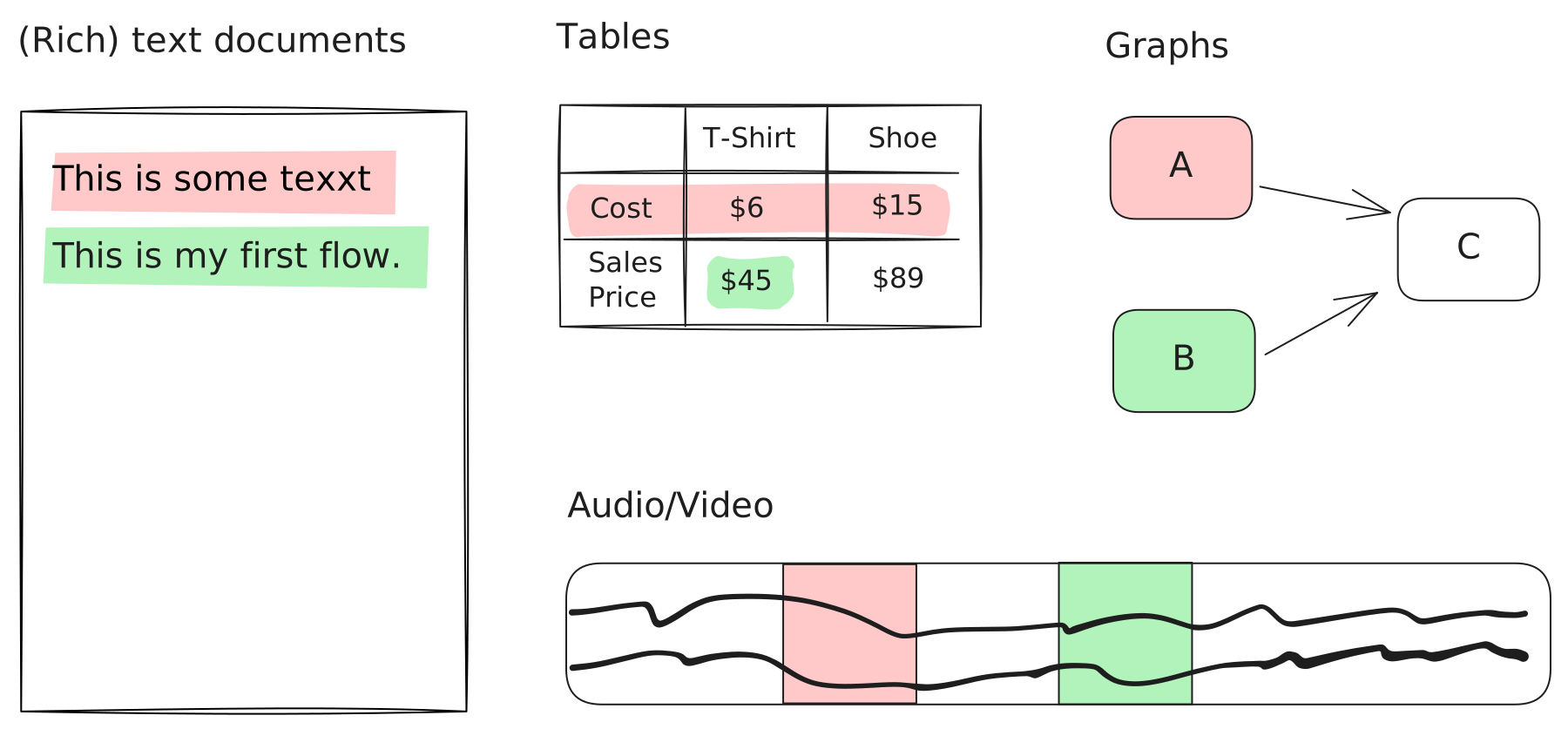
Unlike traditional version control that treats files as opaque blobs of text, Lix understands the structure of your data. Diffs are computed at the entity level, where an "entity" is a semantic unit defined by a plugin. For example:
- JSON: A property, array, or nested path.
- Tables/CSV: A row or an individual cell.
- Prose/Markdown: A paragraph, heading, or list item.
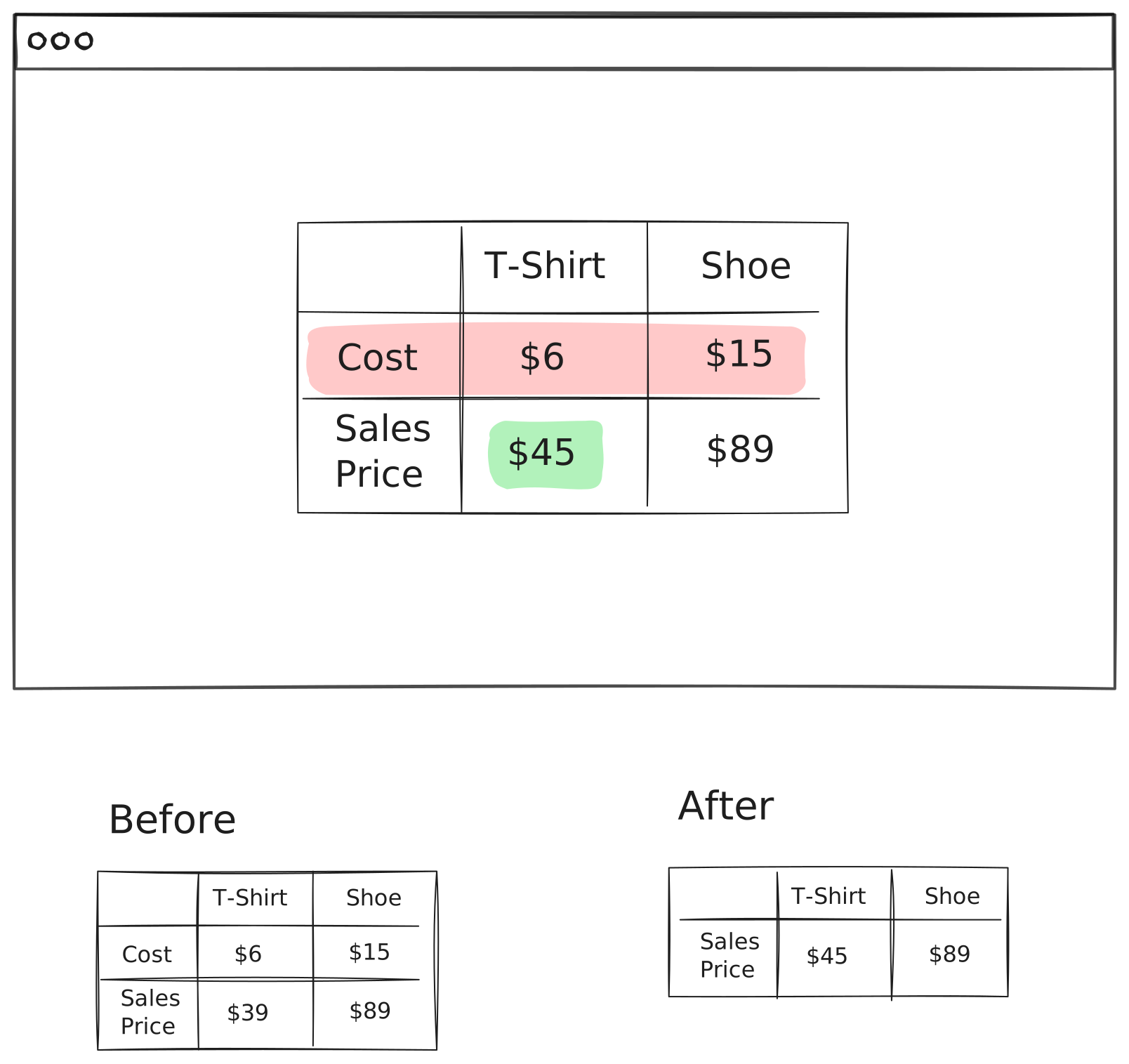
Schema-aware state enables semantic diffs: "price changed from $10 to $12" instead of "line 5 changed."
The SQL API
Lix's main value is providing queryable, diffable state via SQL. You can query entity state at different versions to build diffs.
The SDK exposes pre-built queries:
| Query | Description |
|---|---|
selectVersionDiff | Compare two versions (e.g., branch A vs branch B) |
selectWorkingDiff | Compare working state against the last checkpoint |
Both return rows with status ('added', 'modified', 'removed', 'unchanged'), before_change_id, and after_change_id that you can join to get snapshot content.
Using selectVersionDiff
Compare entities between two versions:
import { openLix, createVersion, selectVersionDiff } from "@lix-js/sdk";// Create two versions from the same base
const versionA = await createVersion({
lix,
name: "version-a",
from: activeVersion,
});
const versionB = await createVersion({
lix,
name: "version-b",
from: activeVersion,
});
// Modify the product in version A (change price)
await lix.db
.updateTable("state_by_version")
.set({ snapshot_content: { id: "product-1", name: "Widget", price: 12 } })
.where("version_id", "=", versionA.id)
.where("entity_id", "=", "product-1")
.execute();
// Compare versions: what changed from B to A?
const diff = await selectVersionDiff({
lix,
source: versionA,
target: versionB,
})
.where("status", "!=", "unchanged")
.execute();
console.log("Changes between versions:");
for (const row of diff) {
console.log(` ${row.entity_id}: ${row.status}`);
}Custom Diff Queries
The real power is composing any diff query you need. Both selectVersionDiff and selectWorkingDiff return Kysely query builders, so you can filter, join, and transform results:
import { openLix, createVersion, selectVersionDiff } from "@lix-js/sdk";
// Create two versions from the same base
const versionA = await createVersion({
  lix,
  name: "version-a",
  from: activeVersion,
});
const versionB = await createVersion({
  lix,
  name: "version-b",
  from: activeVersion,
});

// Modify the product in version A (change price)
await lix.db
  .updateTable("state_by_version")
  .set({ snapshot_content: { id: "product-1", name: "Widget", price: 12 } })
  .where("version_id", "=", versionA.id)
  .where("entity_id", "=", "product-1")
  .execute();

// Compare versions: what changed from B to A?
const diff = await selectVersionDiff({
  lix,
  source: versionA,
  target: versionB,
})
  .where("status", "!=", "unchanged")
  .execute();

console.log("Changes between versions:");
for (const row of diff) {
  console.log(`  ${row.entity_id}: ${row.status}`);
}// The power of SQL: compose custom diff queries with filters and joins
const productDiffs = await selectVersionDiff({
lix,
source: versionA,
target: versionB,
})
// Filter to specific schema
.where("diff.schema_key", "=", "product")
// Only show actual changes
.where("diff.status", "!=", "unchanged")
// Join to get before/after snapshot content
.leftJoin("change as before", "before.id", "diff.before_change_id")
.leftJoin("change as after", "after.id", "diff.after_change_id")
.select([
"diff.entity_id",
"diff.status",
"before.snapshot_content as before_content",
"after.snapshot_content as after_content",
])
.execute();
console.log("Product changes with content:");
for (const row of productDiffs) {
const before = row.before_content as any;
const after = row.after_content as any;
if (before?.price !== after?.price) {
console.log(
` ${row.entity_id}: price ${before?.price} → ${after?.price}`,
);
}
}Rendering Diffs
Lix provides before/after data. You choose how to visualize it:
| Approach | Best For | Control Level |
|---|---|---|
| Use a Plugin's UI | Quick integration with standard, pre-built components. | Low |
| Use a Diff Library | Custom integration with powerful, pre-built diffing logic. | Medium |
| Build Your Own UI | Complete control for bespoke or complex visualizations. | High |
Use a Plugin's UI
Plugins can provide ready-to-use diff components. Fastest way to display changes:
const plugin = await lix.plugin.get({ key: "lix_plugin_csv" });

if (plugin?.renderDiff) {
  const diffComponent = plugin.renderDiff({ before, after });
}Use a Diff Library
Use a library to visualize changes. Options include diff for text or @lix-js/html-diff for comparing rendered HTML output.
Build Your Own UI
Build custom diff rendering with complete control. Lix provides structured before/after states for any visualization you need.